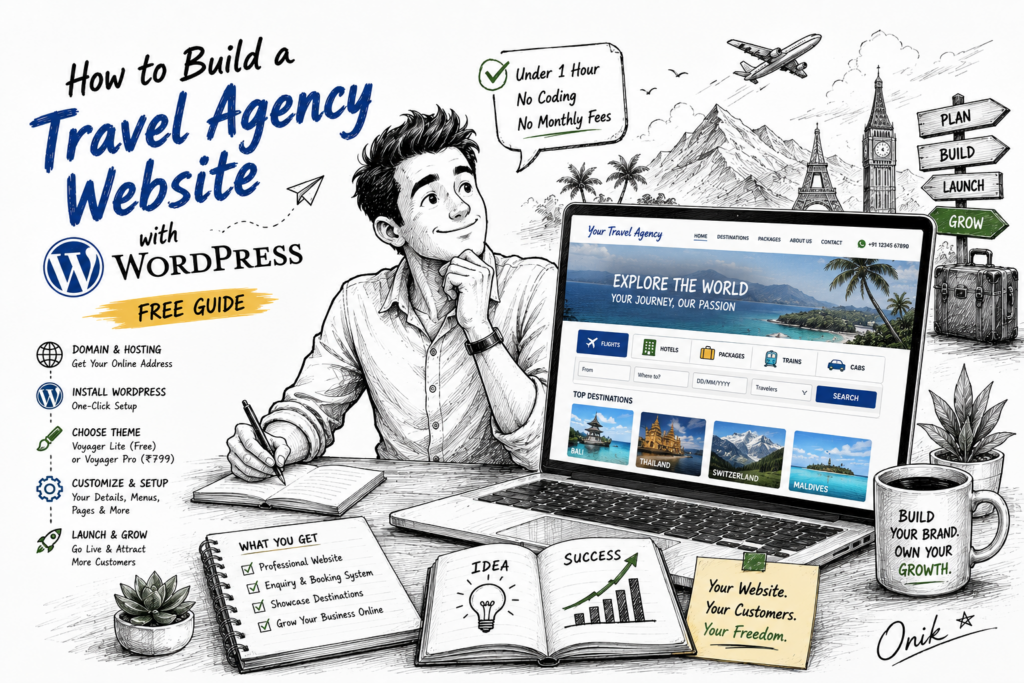
Learning how to build a travel agency website with WordPress is one of the most effective investments a travel business can make. A professional website lets you showcase destinations, collect enquiries, display tour packages, and even earn affiliate commission — all without paying monthly fees to an online travel agency (OTA) platform that takes a cut of every booking.
This guide walks you through the exact steps to build a complete travel agency website with WordPress — from domain and hosting to a live website — in under an hour, with no coding required.
What You Need Before You Start
- Domain name — your website address (e.g. youragency.com)
- Web hosting — we recommend Bluehost or SiteGround for WordPress beginners
- WordPress — free, installed in one click from your hosting control panel
- A WordPress travel theme — we’ll cover the best options below
Total cost to get started: domain (₹800–₹1,200/year) + hosting (₹150–₹300/month) + theme (free to ₹799 one-time). No ongoing platform fees, no commission per booking.
Step 1 — Install WordPress
Most hosting providers offer one-click WordPress installation. Log into your hosting control panel, find the WordPress installer (usually called Softaculous or WordPress Toolkit), enter your site details, and click Install. WordPress will be ready in about 2 minutes.
Once installed, go to yourdomain.com/wp-admin and log in with the credentials you set during installation.
Step 2 — Choose Your Travel Agency WordPress Theme
This is the most important decision. Your theme determines the entire look, feel, and functionality of your travel website. For a travel agency, you need a theme that includes a search box, destination showcase, tour packages display, and a booking or enquiry system.
There are two excellent options depending on your budget:
Option A: Voyager Lite (Free)
Voyager Lite is a completely free travel agency WordPress theme that includes everything you need to get started:
- Professional 5-tab search box — Flights, Hotels, Packages, Trains, Cabs
- 8 destination cards with gradient images
- 12 travel service tiles
- Enquiry form — customer search details emailed to you automatically
- Blog listing and single post templates
- AJAX newsletter signup
- Fully responsive on all devices
- GPL v2 licensed
Voyager Lite is ideal for new agencies that want to launch quickly with zero upfront investment.
Option B: Voyager Pro (₹799 One-Time)
Voyager Pro is the premium version with significantly more power. The key upgrade is three switchable booking engine modes that can transform how your business operates:
- Enquiry Form Mode — same as Lite, ideal for manual bookings
- White Label Iframe Mode — embed a live booking engine (TBO, Rezlive, Galileo) full-width on your site under your brand
- Affiliate Redirect Mode — each search tab redirects to affiliate links so you earn commission on every completed booking through EaseMyTrip, MakeMyTrip, IRCTC, or any other affiliate program
Voyager Pro also adds 7 complete page templates, one-click demo import, WhatsApp float button, and 30+ Customizer options. At ₹799 one-time, it is one of the most affordable WordPress themes for small business in the travel niche.
How to Install Your Theme
- Download the theme .zip file (from your email for paid themes, or direct download for free themes)
- In WordPress admin go to Appearance → Themes → Add New → Upload Theme
- Select the .zip file and click Install Now
- Click Activate
If you chose Voyager Pro, go to Appearance → Import Demo and click Import — your full site with all 7 pages loads in about 30 seconds.
Step 3 — Configure Your Site in the Customizer
Go to Appearance → Customize. This opens the live preview panel where you can update all your agency details without touching any code. Set:
- Agency Name — appears in the header and footer
- Phone Number — shown in the top bar and contact page
- WhatsApp Number — powers the float button (Voyager Pro)
- Email Address — used for enquiry notifications
- Hero Tagline — the main headline on your homepage
- Booking Engine Mode — choose Enquiry, Iframe, or Affiliate (Voyager Pro)
- Social Media Links — Facebook, Instagram, Twitter, YouTube, LinkedIn
Every change previews live on the right side of your screen. Click Publish when done.
Step 4 — Set Up Your Booking System
Your booking system choice depends on your business model:
If you handle bookings manually (recommended for new agencies):
Use Enquiry Form Mode. When a visitor searches for flights, hotels, or packages, a form pops up asking for their name, email, and phone. The details are emailed to you instantly. You then call or WhatsApp the customer to confirm and book. This is the lowest-friction way to start — no API setup, no payment gateway.
If you have a B2B travel portal (IATA agents, aggregator users):
Use White Label Iframe Mode. Paste your booking portal URL (e.g. from TBO, Rezlive, Amadeus, or your aggregator) into the Customizer. It appears full-width on your Booking page under your brand. Customers search and book directly — you see the booking in your portal dashboard.
If you want to earn affiliate commission:
Use Affiliate Redirect Mode. Sign up for affiliate programs with EaseMyTrip, MakeMyTrip, or IRCTC. Paste your affiliate URLs into the Customizer — one per tab (Flights, Hotels, Packages, Trains, Cabs). When a visitor clicks Search, they go to the affiliate site with your tracking code embedded. You earn commission on every completed booking.
Step 5 — Add Your Content
Destinations
Add your featured destinations to the homepage destinations section via the Customizer. Include high-quality photos, destination names, and starting prices. According to Google’s travel insights research, destination imagery is the number one factor that influences travel purchase decisions online.
Tour Packages
List your best-selling packages on the Tour Packages page. Include duration, group size, hotel star rating, inclusions, and price. Show the original price crossed out with the sale price — this simple technique significantly increases click-through rates.
Blog
Start writing destination guides, travel tips, and itinerary posts. Blog content drives organic search traffic to your site for free. A well-written post about “5 Days in Manali — Complete Itinerary” can rank on Google and bring enquiries for years after it’s published.
Step 6 — Install Essential Plugins
Keep plugins minimal — every plugin adds load time. These are the only ones you genuinely need:
- Rank Math SEO — free SEO plugin, better than Yoast for travel sites
- WP Super Cache or LiteSpeed Cache — speeds up your site significantly
- UpdraftPlus — automated daily backups
- Wordfence Security — malware scanning and firewall
That’s it. Avoid installing page builders, slider plugins, or social media widgets — they slow your site and are rarely necessary.
Step 7 — SEO Setup for Your Travel Website
Install Rank Math and complete the setup wizard. For each page, set a focus keyword that matches what your customers are actually searching for:
- Homepage: “travel agency [your city]” or “tour packages [destination]”
- Destinations page: “holiday packages to [destination]”
- Blog posts: specific long-tail queries like “5 days in Goa itinerary” or “Manali trip cost from Delhi”
According to Ahrefs’ keyword research data, long-tail travel keywords (3+ words) have significantly lower competition and higher purchase intent than generic terms — making them ideal for new travel websites trying to rank quickly.
How Much Does a Travel Agency Website Cost?
| Item | Cost | Frequency |
|---|---|---|
| Domain name | ₹800 – ₹1,200 | Per year |
| Web hosting (shared) | ₹150 – ₹300 | Per month |
| Voyager Lite theme | Free | One-time |
| Voyager Pro theme | ₹799 | One-time |
| Essential plugins | Free | — |
| Total (with Voyager Pro) | ₹3,599 first year |
Compare this to paying a web development agency ₹30,000–₹80,000 for a custom website with ongoing maintenance fees. The WordPress + affordable theme route gives you a professional result at a fraction of the cost — and you control everything yourself.
Final Thoughts
Building a travel agency website with WordPress is genuinely straightforward if you use the right theme. The key decisions — theme choice and booking system — take 15 minutes. The rest is filling in your content.
Start with Voyager Lite (free) if you’re just getting started. Upgrade to Voyager Pro (₹799) when you’re ready for live booking integration or affiliate revenue. Both themes are GPL licensed, one-time payment, and built without page builders — so your site will be fast, clean, and fully yours.
Have questions? Contact us — we respond within 24 hours.