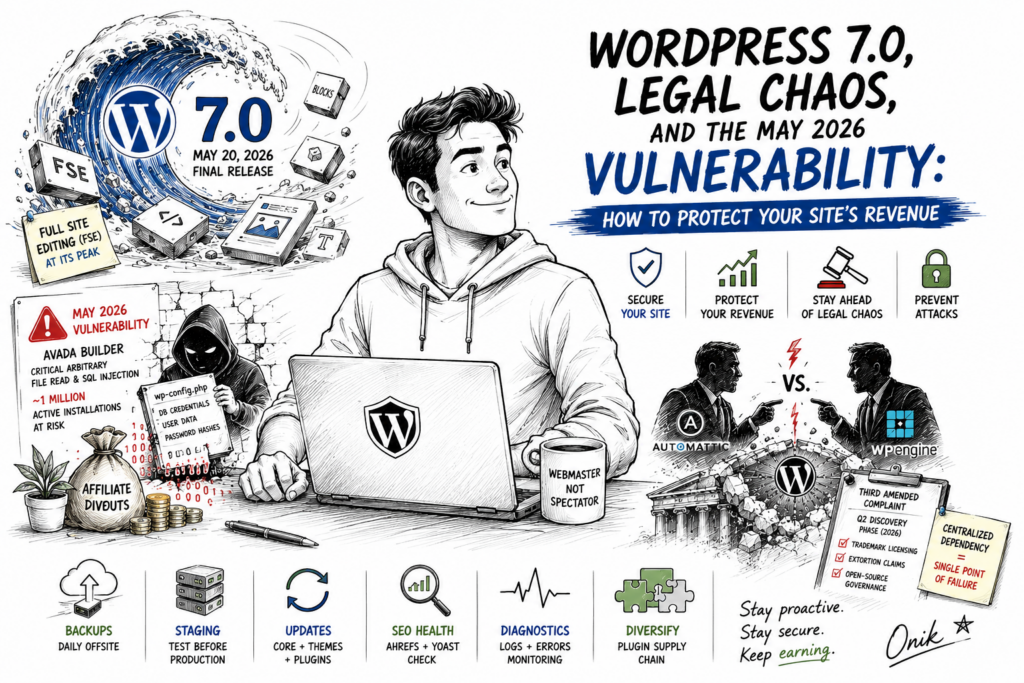
Last updated: September 30, 2026. Disclosure: this article contains affiliate links to hosting providers.
If your site runs WordPress 7.1.0–7.1.1 or 7.0.0–7.0.5, update now. On September 22, 2026 WordPress released 7.1.2 and 7.0.6 to fix CVE-2026-87902, a critical flaw that lets an unauthenticated attacker, under certain conditions, make WordPress load a PHP file from outside your theme — which can escalate to remote code execution. Core is rarely the weak point, though: in 2025, 91% of new WordPress vulnerabilities were in plugins.
Below: what the 7.x vulnerability is, who is affected, how to check your version in 30 seconds, and a 20-minute checklist that closes the gaps attackers actually use.
Current safe WordPress versions
| Branch | Safe version | Released | Action |
|---|---|---|---|
| 7.1 | 7.1.2 | Sep 22, 2026 | Update if on 7.1.0 or 7.1.1 |
| 7.0 | 7.0.6 | Sep 22, 2026 | Update, then plan the move to 7.1 |
| 6.x and older | Backport per branch | Rolling | Only the latest version is actively supported — upgrade |
Source: WordPress 7.1.2 release announcement and the 7.1.2 version notes.
What is CVE-2026-87902?
It is a path-traversal bug in how WordPress picks a page template. A crafted, double-encoded value in the pagename parameter could make WordPress include a readable PHP file outside the active theme folders. Turning that into full remote code execution needs specific conditions on both the server and the theme — for example a reachable PHP file such as pearcmd.php with register_argc_argv enabled.
What that means for you: most sites were not trivially exploitable, but “under certain conditions” is exactly what automated scanners test for at scale. Patchstack found that the most-targeted WordPress flaws in 2025 were mass-exploited within a weighted median of 5 hours of disclosure. Treat this as update-today, not update-this-month.
How to check your WordPress version in 30 seconds
- Log in to wp-admin → Dashboard → Updates. The current version is shown at the top.
- Or look at the footer of any admin screen: “Version 7.1.2”.
- If you manage many sites, run
wp core versionwith WP-CLI.
Minor security releases install automatically on most sites, but only if background updates are not disabled by your host, a plugin or a WP_AUTO_UPDATE_CORE setting. Check — do not assume.
The bigger risk: plugins, not core
Patchstack’s State of WordPress Security in 2026 report puts the core vulnerability in context:
| 2025 metric | Figure |
|---|---|
| New WordPress-ecosystem vulnerabilities | 11,334 (+42% year on year) |
| Share found in plugins | 91% |
| Share found in themes | 9% |
| Vulnerabilities in WordPress core | 6, all low priority |
| No fix available at public disclosure | 46% |
Nearly half of disclosed flaws had no patch when they went public. Updating is necessary but not sufficient — you also need fewer plugins, a firewall and backups you can restore.
The 20-minute WordPress 7 security checklist
1. Update everything (5 minutes)
- Core to 7.1.2 (or 7.0.6).
- All plugins and themes. Turn on auto-updates for plugins from reputable developers.
- PHP to a supported 8.x version in your hosting panel.
2. Delete what you do not use (3 minutes)
Deactivated plugins can still be exploited if their files are reachable. Delete unused plugins and every theme except your active theme and one default fallback. Replace plugins that have not been updated in a year.
3. Lock down logins (4 minutes)
- Two-factor authentication for every administrator.
- Remove old admin accounts; give editors the Editor role, not Administrator.
- Limit login attempts (Wordfence or your host’s firewall does this).
4. Add a firewall (3 minutes)
A web application firewall can block exploit attempts for flaws that have no patch yet. Free Wordfence is a good start; many hosts include a server-level firewall.
Important: make sure your firewall is not blocking search engines. An over-aggressive host firewall can return “403 Forbidden” to Googlebot and quietly remove your pages from Google. Check Search Console → Pages for “Blocked due to access forbidden (403)” after changing security settings.
5. Test your backups (5 minutes)
A backup you have never restored is a hope, not a plan. Keep daily off-site backups (UpdraftPlus to cloud storage, or your host’s backups) and restore one to a staging site once a quarter.
Does your host make this easier?
Good managed WordPress hosting handles half of this list for you: automatic core updates, a server firewall, malware scanning, daily backups and one-click staging to test updates safely.
- SiteGround — daily backups, staging and a custom WAF on every plan; strong for sites where downtime costs money.
- Hostinger — budget-friendly, with malware scanning and automatic backups on WordPress plans.
Is your theme part of the problem?
Themes accounted for 9% of 2025’s vulnerabilities, and heavy page-builder themes bundle extra plugins — each one more code to patch. Lightweight themes with no bundled plugins shrink the attack surface. All w3domicile themes are page-builder-free and ship without bundled third-party plugins.
FAQ
Is WordPress 7.0 safe to use?
Only at version 7.0.6 or later. The 7.0 branch still receives security backports, but only the latest release (7.1.x) is actively maintained, so plan your upgrade.
Did WordPress 7.1.2 break anything?
It is a single-fix security release, so compatibility issues are unlikely. Still, test on staging first if your site uses custom page templates.
How do I know if my site was hacked?
Warning signs: new admin users you did not create, unknown files in wp-content, spam pages in Google results for site:yourdomain.com, or a security warning in Search Console. Run a Wordfence scan and check Search Console → Security issues.
Bottom line
Update to 7.1.2 today, cut your plugin list, turn on 2FA, add a firewall that still lets Google in, and prove your backups restore. Twenty minutes now is far cheaper than a hacked site.
Questions about securing a w3domicile theme? Contact us.